
Offline-first · Early access
Your restaurant’s
floor
runs on one system
The moment an order opens it lands on the kitchen display; the dish’s recipe draws down stock, and end-of-day writes itself. When the connection drops, orders wait safely on the device — service never stops.
Works without internet
Orders open and checks close; once the connection returns, records sync without conflicts.
One data model
Sales, stock and reports feed from the same record — no more "which number is right".
Set up over lunch
The setup wizard walks you through menu and tables; you’re serving by dinner.
Roadmap built for Türkiye
e-Invoice, fiscal registers and marketplace integrations are on the roadmap — honestly: not shipped yet.
Four rooms, one system
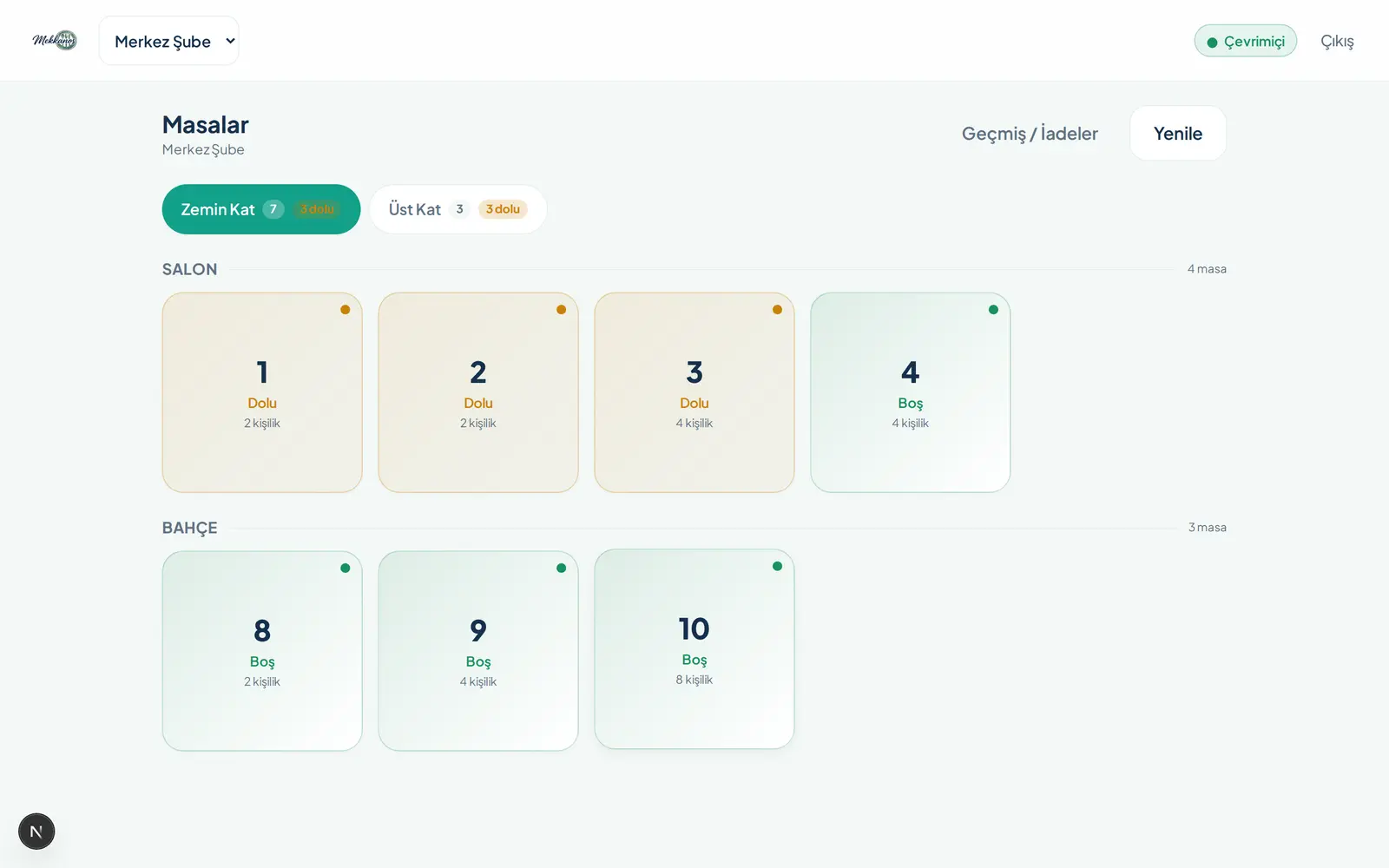
Floor, kitchen, stockroom and back office all work on the same record — and the built-in AI studio produces your menu images. An order is entered once; the rooms handle the rest between themselves. Every screen below is the real product — with demo data.
From table to kitchen in three taps
The waiter screen is built for speed: big touch targets, find any item in a crowded menu in seconds, send without leaving the table.
Orders even without internet
When the connection drops, orders wait on the device and sync in order once it returns. The waiter never notices.
Split bills and discounts
Split by item or evenly; service charge and discount rules are built in. No bill arguments at the table.
Floors and table plan
Draw your own floor plan in the panel; occupied, free and reserved tables show at a glance on the waiter screen.
QR menu and table ordering
Guests open the menu on their phone, call the waiter, or order themselves — it lands on the same tab.
The internet drops. Service doesn’t.
MekkanOs was built offline-first from day one: orders queue safely on the device and sync without conflicts when the connection returns. Add a small local server to the branch and the waiter screen talks to the kitchen without ever touching the internet.
The local server is optional; a single-tablet setup gets the same guarantee.
Ready for tonight’s service
From sign-up to the first order in three steps — none of them need a technician.
- 1
Sign up
Open your account with an email; your business and first branch are ready in seconds.
- 2
Run the wizard
The screen walks you through menu, tables and staff step by step. Try it with sample data first if you like.
- 3
Start serving
The waiter screen, kitchen display and QR menu open together. Open your first order today.
Transparent pricing, no surprises
During early access every plan is free to try; no credit card required.
Starter
One branch, the whole daily flow
₺990/mo · per branch
- Waiter screen, orders and floor plan
- Kitchen display
- QR menu and table ordering
- End-of-day and core reports
Pro
Inventory and cost control
₺1,990/mo · per branch
- Everything in Starter
- Inventory, recipes and plate cost
- Purchasing and suppliers
- Menu profitability analysis
- Shift scheduling
Chain
Multi-branch operators
Customby branch count
- Everything in Pro
- Cross-branch reporting
- Inter-branch stock transfer
- Reservations and guest records
- Priority support
Prices are indicative and will be finalised at launch. No credit card required during early access.
Frequently asked
What happens if the internet goes down?
The waiter screen keeps working: orders open, items are added, checks close. Orders queue on the device and sync to the server without conflicts once the connection returns. With a local server, waiter-to-kitchen communication never depends on the internet at all.
Can other businesses see my data?
No. Every business’s records are kept separate in the database; what each person can see is set by role, and sensitive actions like payments and stock are written to an audit log.
Do I need special hardware?
No. MekkanOs runs in the browser; the tablet, phone or computer you already have is enough. Receipt printers and the local server are optional.
Is there Yemeksepeti, Getir or e-Invoice integration?
Not yet. Marketplace orders, fiscal registers, e-Invoice and e-Adisyon are on our roadmap for the next phase. Everything else you see on this page works today.
How long does setup take?
Sign-up takes a few minutes. The setup wizard walks you through menu and tables; with a small menu you can start selling the same day.
Can I take my data if I leave?
Yes. The data is yours; on the way out you can export your sales, inventory and customer records.
Open your first order today
Set up, try it with sample data, switch to real service when you’re ready.
Start freeNo credit card · Set up over lunch